
Buy extra envelopes
Top up your monthly e-signature envelope allowance when you need more.
Open in Stageory- 1
Open Billing & Subscription
Find the envelopes card.
- From the account menu, open Billing & Subscription and find the e-Signature envelopes card.
- Click Add more.
app.stageory.com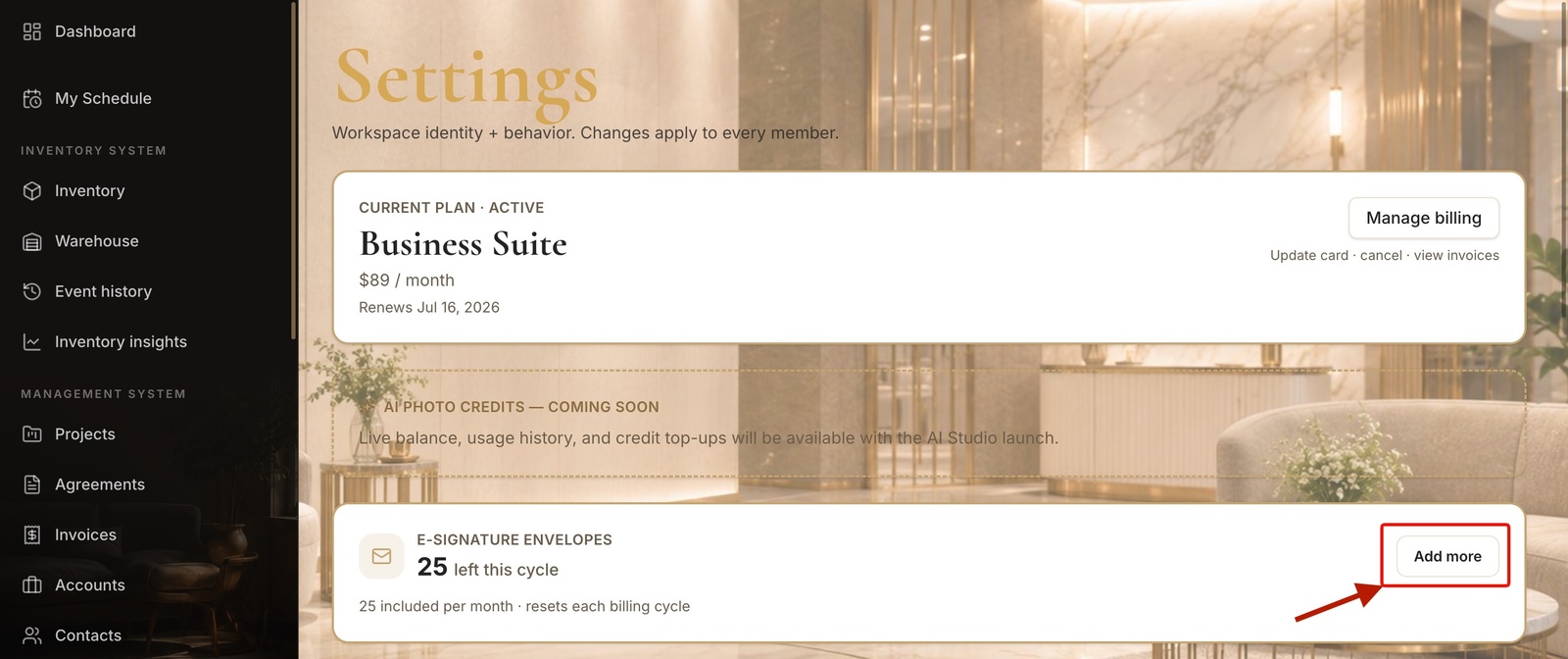
- 2
Set your total
Drag the slider.
- Drag the slider to your total envelopes per month — everything above your plan's included amount is billed at $1.25/envelope/mo.
- Click Update — the prorated difference is charged now and the extra envelopes are usable this cycle.
app.stageory.com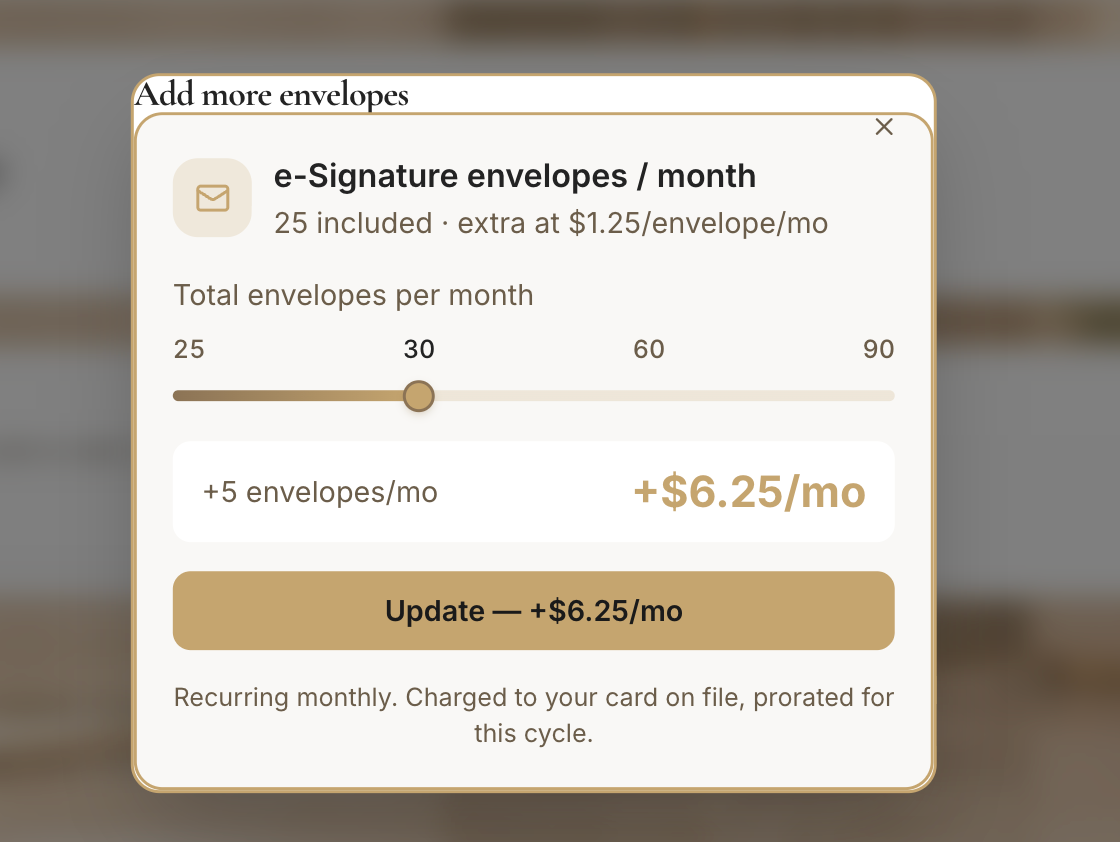
Tips
- Your plan's included envelopes refresh every billing period; add-ons stack on top.
Still need help?
Can't find what you're looking for? Our team is here.