
- 1
Open the member
From Members.
- In Members, click the member you want to remove to open their details.
app.stageory.com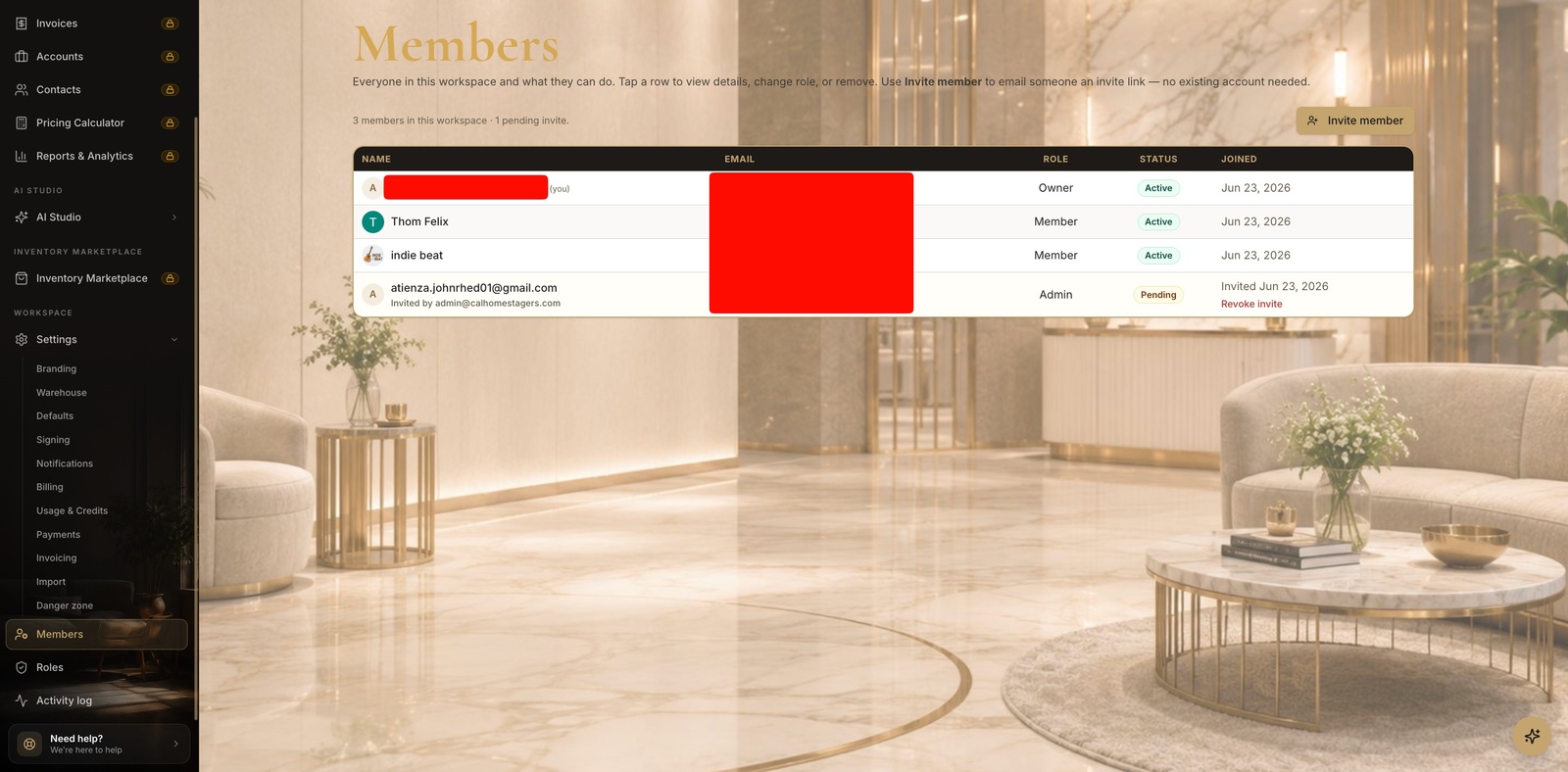
- 2
Remove them
Danger zone.
- In the member drawer, scroll to Danger zone and click Remove member, then confirm.
- They lose access immediately; their authored history rows stay attributed to them.
app.stageory.com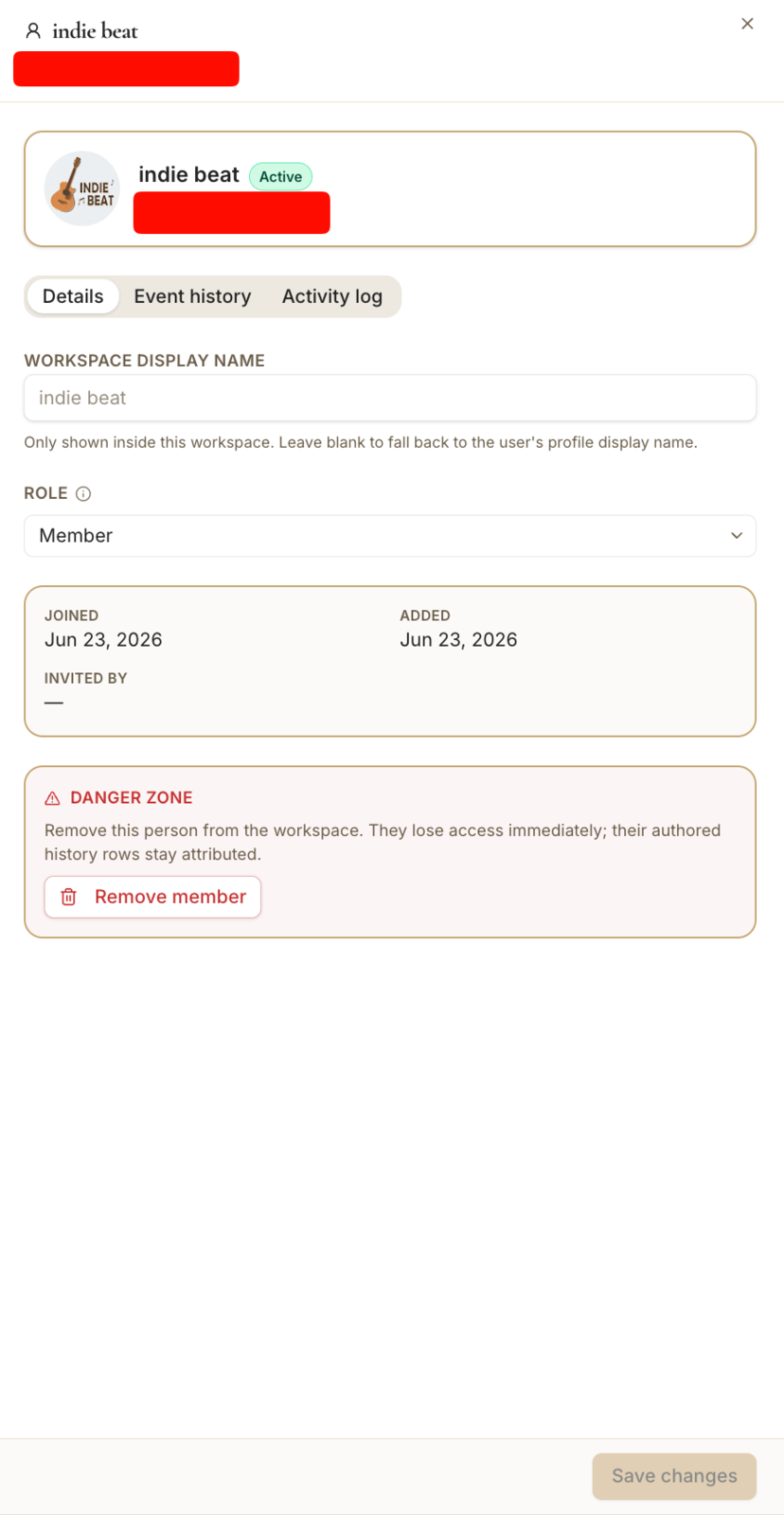
Tips
- Removing a member doesn't delete the work they created.
Still need help?
Can't find what you're looking for? Our team is here.