
Invite people
Bring your team into the workspace and set what they can do — no existing account needed.
Open in Stageory- 1
Open Members
Your team list.
- In the sidebar, open Members — everyone in the workspace and what they can do.
- Click Invite member (top right).
app.stageory.com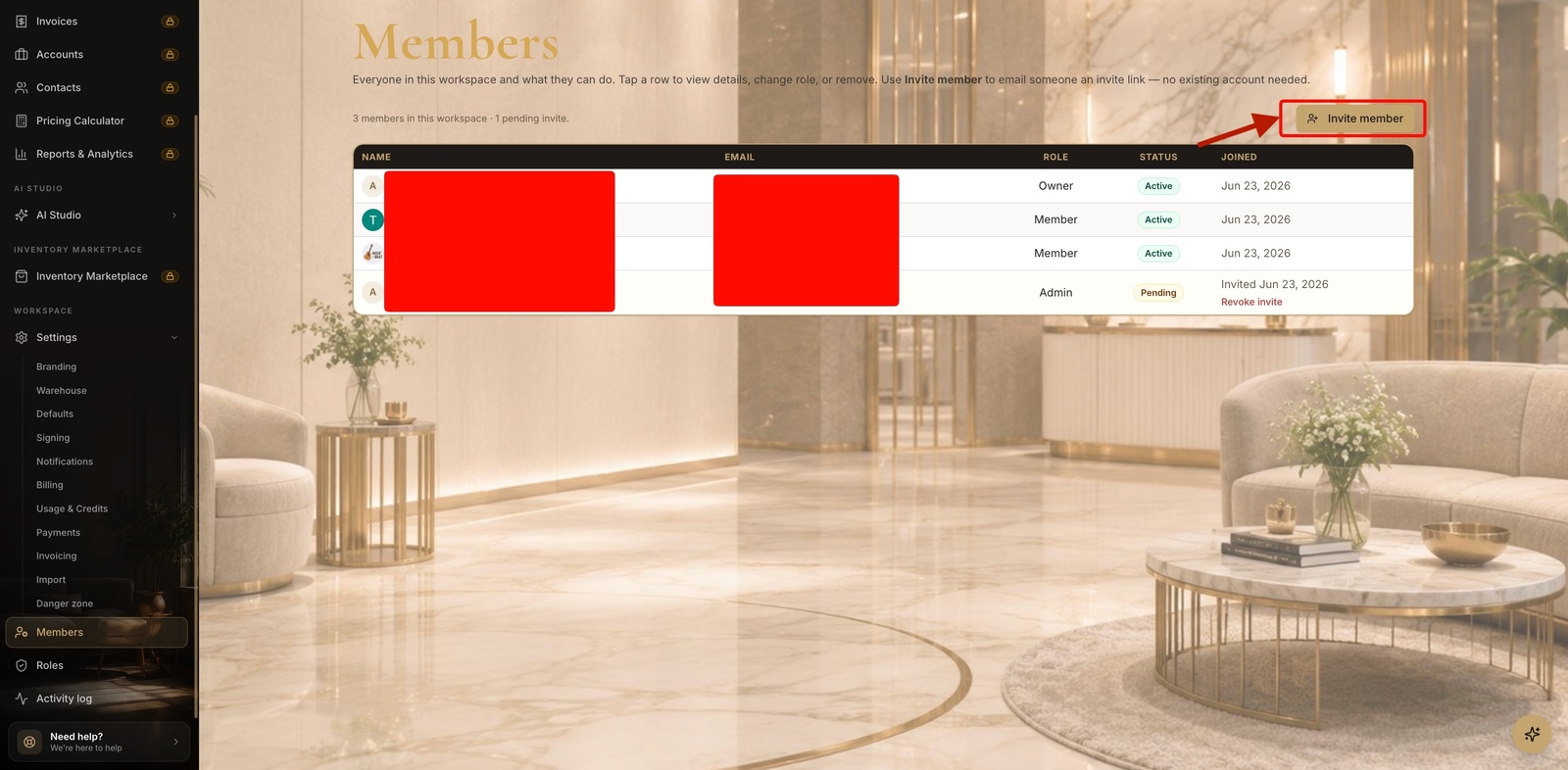
- 2
Send an invite
Email + role.
- Enter the person's email and pick a role (Owner, Admin, Manager, Member, or Viewer).
- Click Send invite — they get an email link, valid 7 days, and join once they accept.
app.stageory.com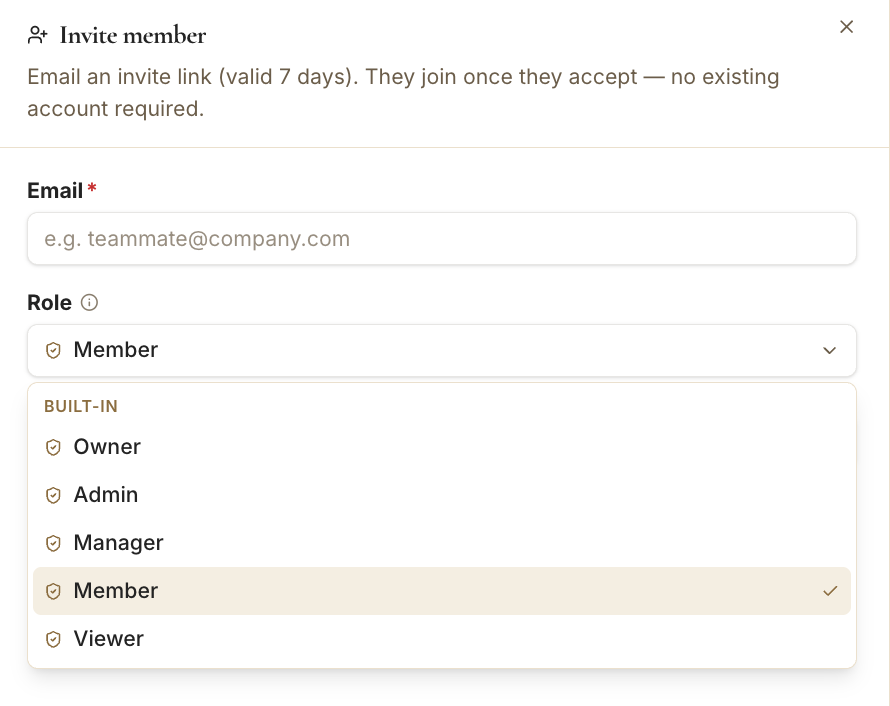
- 3
Track the invite
Pending until accepted.
- The member shows as Pending in the list until they accept; Revoke invite to cancel it.
Tips
- Inviting a teammate is owner/admin only.
- Each member's access is controlled by their role — set it now or change it anytime.
Still need help?
Can't find what you're looking for? Our team is here.