
- 1
Open the Marketplace tab
Inside the project.
- In a project, open the Marketplace tab.
- Click Generate a new link to create a private shop link for the homeowner — they see the items marked available and can buy with a card.
app.stageory.com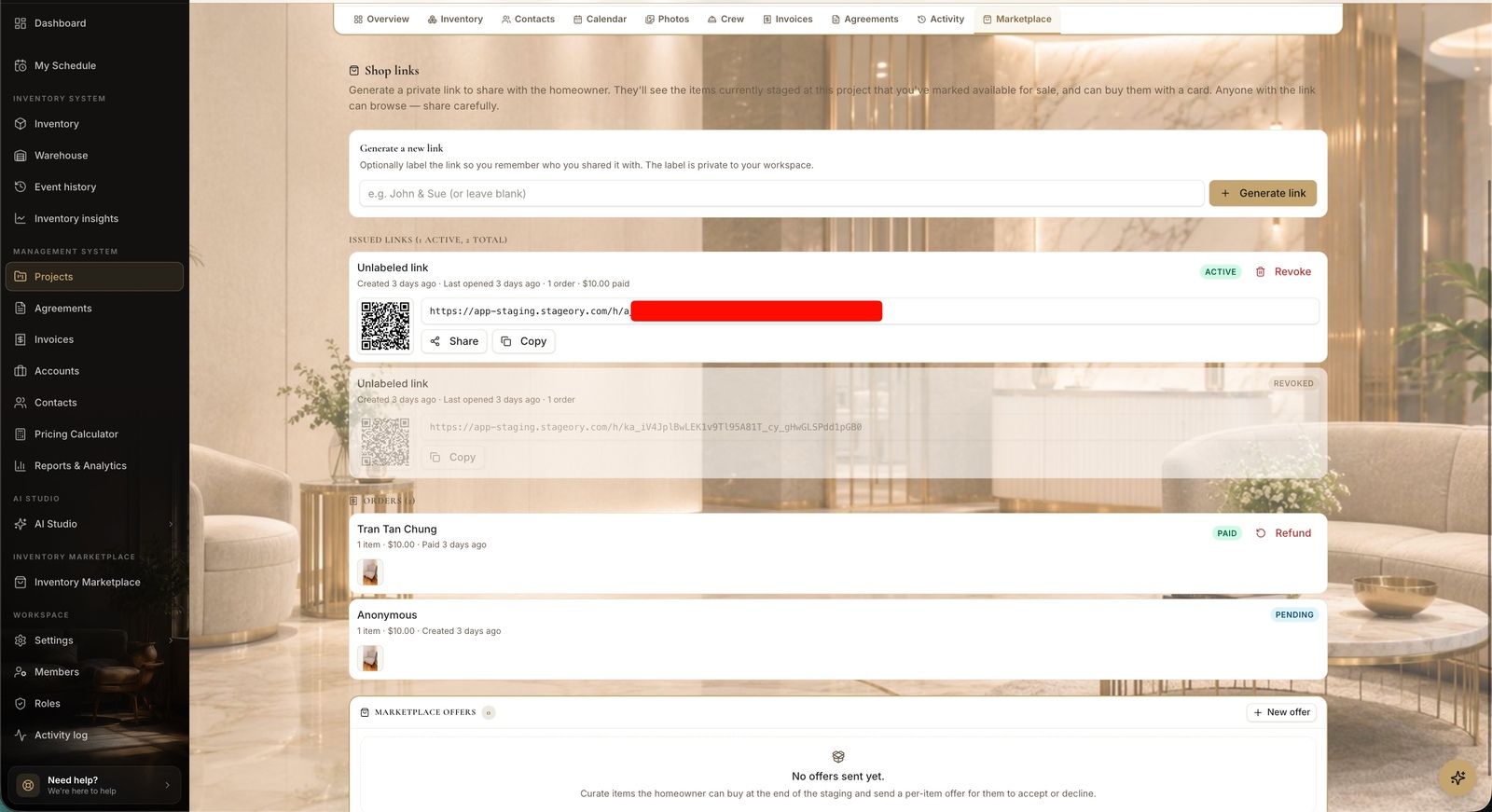
- 2
Track links & orders
Share, sell, fulfil.
- Share or copy an issued link; Revoke it anytime to stop access.
- Orders show as Paid or Pending — and you can send a per-item marketplace offer for the client to accept or decline.
Tips
- Sold items sync back so your inventory stays accurate.
Still need help?
Can't find what you're looking for? Our team is here.