
Warehouse sections
Every unit shows where it physically sits — its location in the warehouse — so anyone on the team can pick and locate items fast.
Open in Stageory- 1
See item locations
The Location column.
- Open Warehouse — the Location column shows where each item lives (e.g. Main).
- Each row also shows status (Bound, Available, Assigned) and the project it's assigned to.
- Click a product to open its details.
app.stageory.com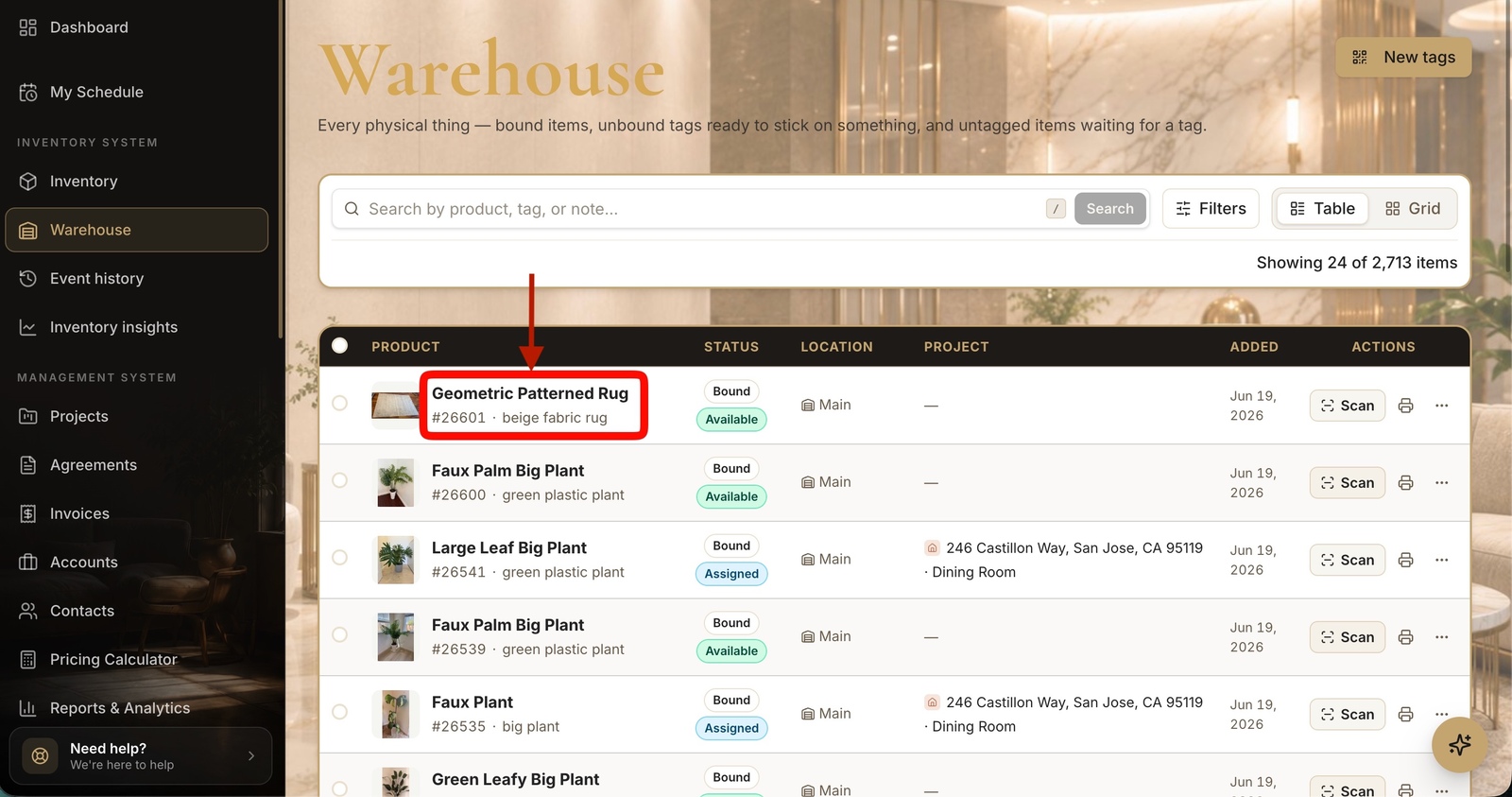
- 2
Check a unit's location
On the item.
- On the item, open the Inventory tab to see each individual unit.
- Every unit lists its current location and status, so anyone can find exactly where it sits.
app.stageory.com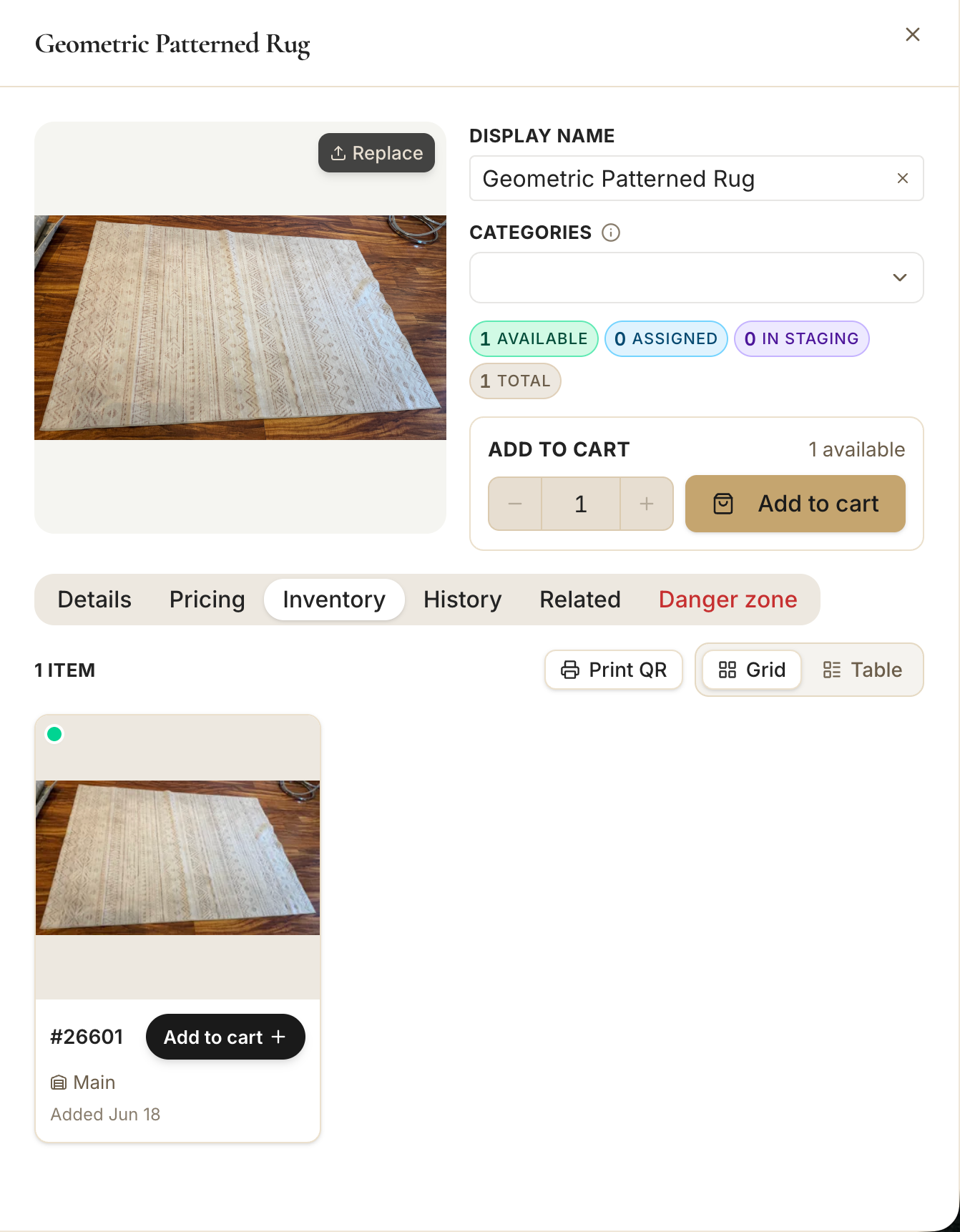
Tips
- An item's location follows it everywhere — search or filter by it to pull a whole zone at once.
Still need help?
Can't find what you're looking for? Our team is here.