
Contacts
Manage the people inside your accounts — their details, the accounts they belong to, and how they pay.
Open in Stageory- 1
Open Contacts
From the sidebar.
- Open Contacts in the sidebar to see every person across your accounts.
app.stageory.com
- 2
Add or edit a contact
All their details.
- Add a contact (or open one to edit) and fill in name, email, phone, and license #.
- Link a primary account, add other affiliated companies, set an address, and choose how they pay — Stripe Connect or external self-collect.
- Click Save changes.
app.stageory.com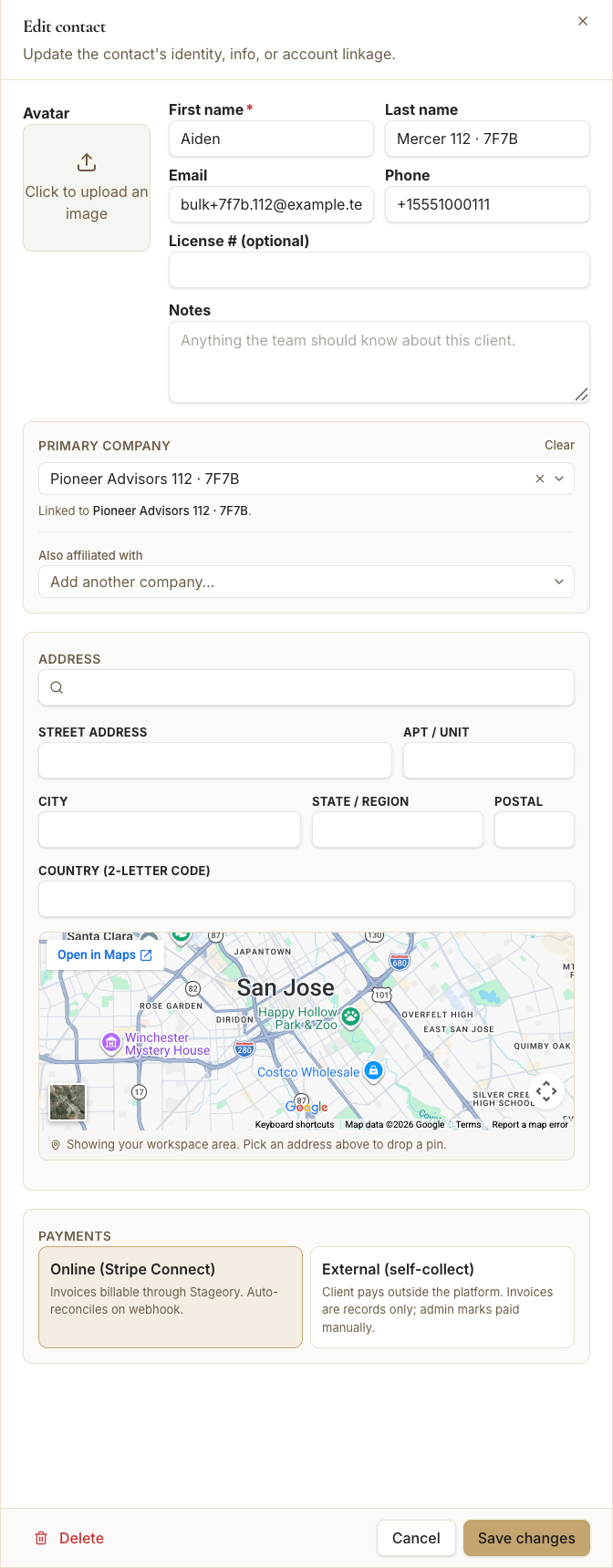
Tips
- Contacts can be linked to accounts and added to projects as signers or recipients.
Still need help?
Can't find what you're looking for? Our team is here.