
Switch workspace
Move between the workspaces you belong to — each has its own inventory, projects, billing, and members.
- 1
Open the workspace menu
Top of the sidebar.
- Click your workspace name at the top of the sidebar to open the switcher.
app.stageory.com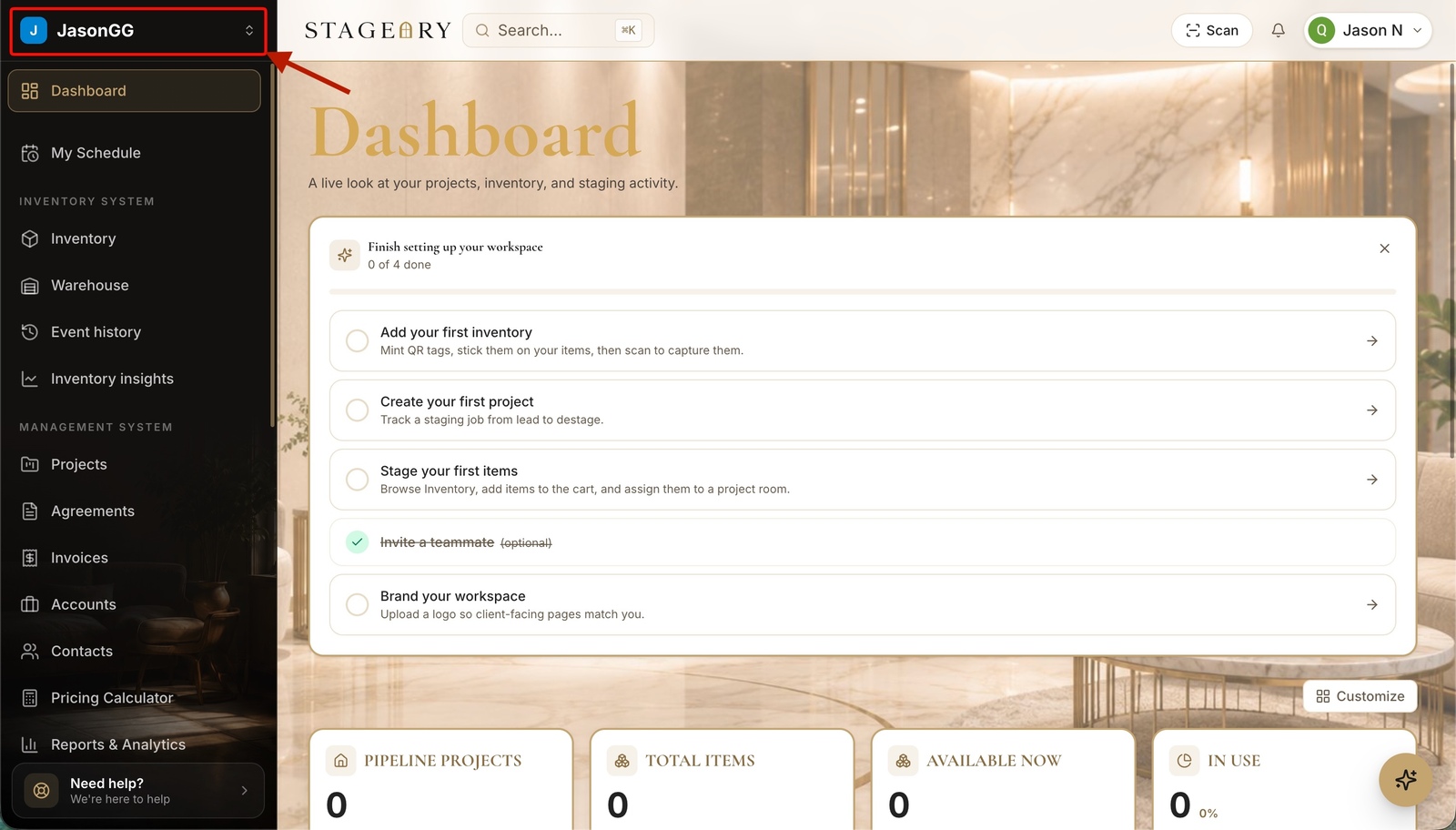
- 2
Switch or see all
Quick switch.
- The menu shows your current workspace and a Switch to list — pick one to jump straight into it.
- Or click View all workspaces for the full list.
app.stageory.com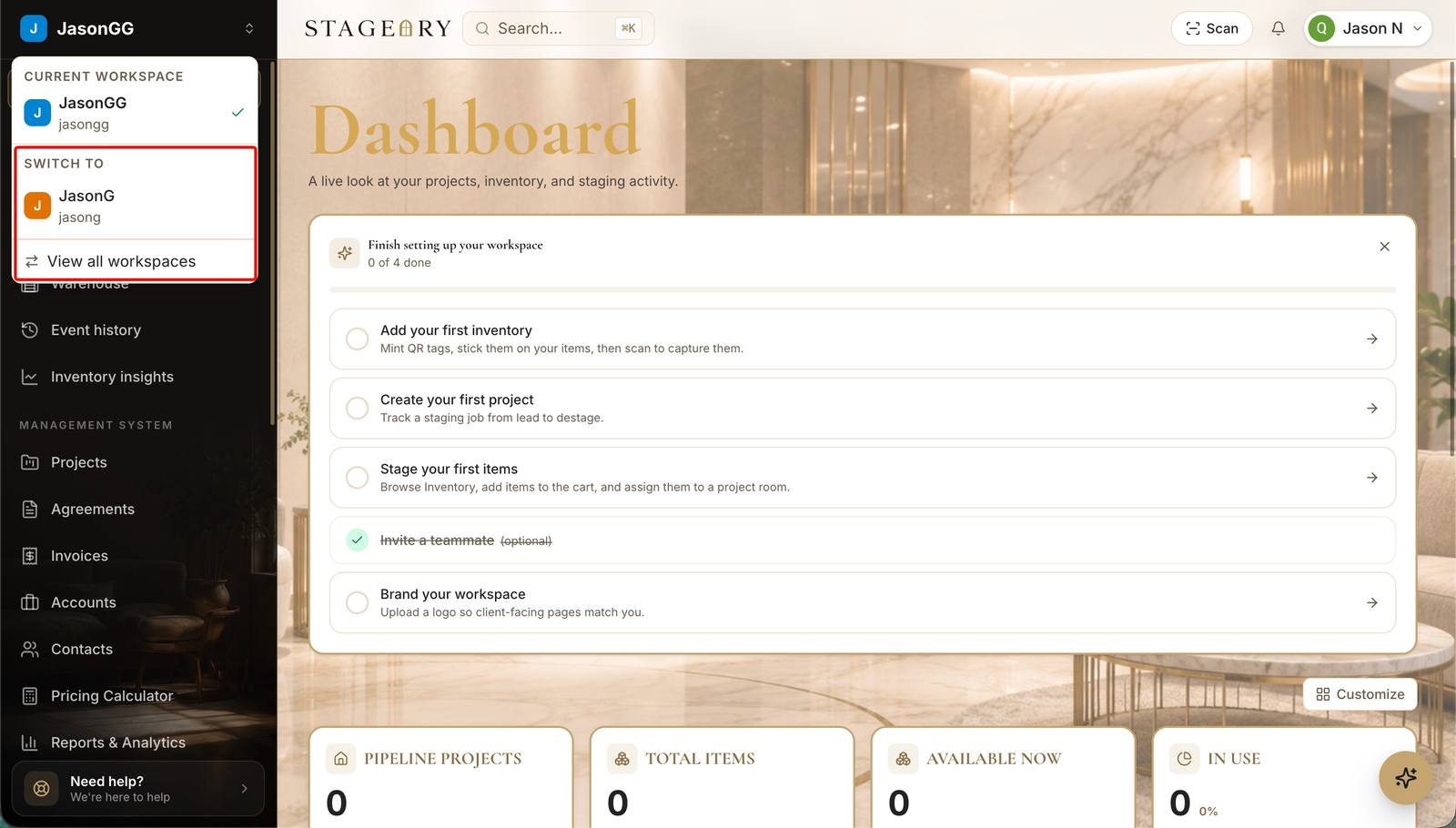
- 3
Pick from all workspaces
With roles + plans.
- Your workspaces lists every workspace you belong to with your role (Owner, Admin…) and its plan — click one to enter.
- Each workspace needs its own plan; subscribe one before adding another.
app.stageory.com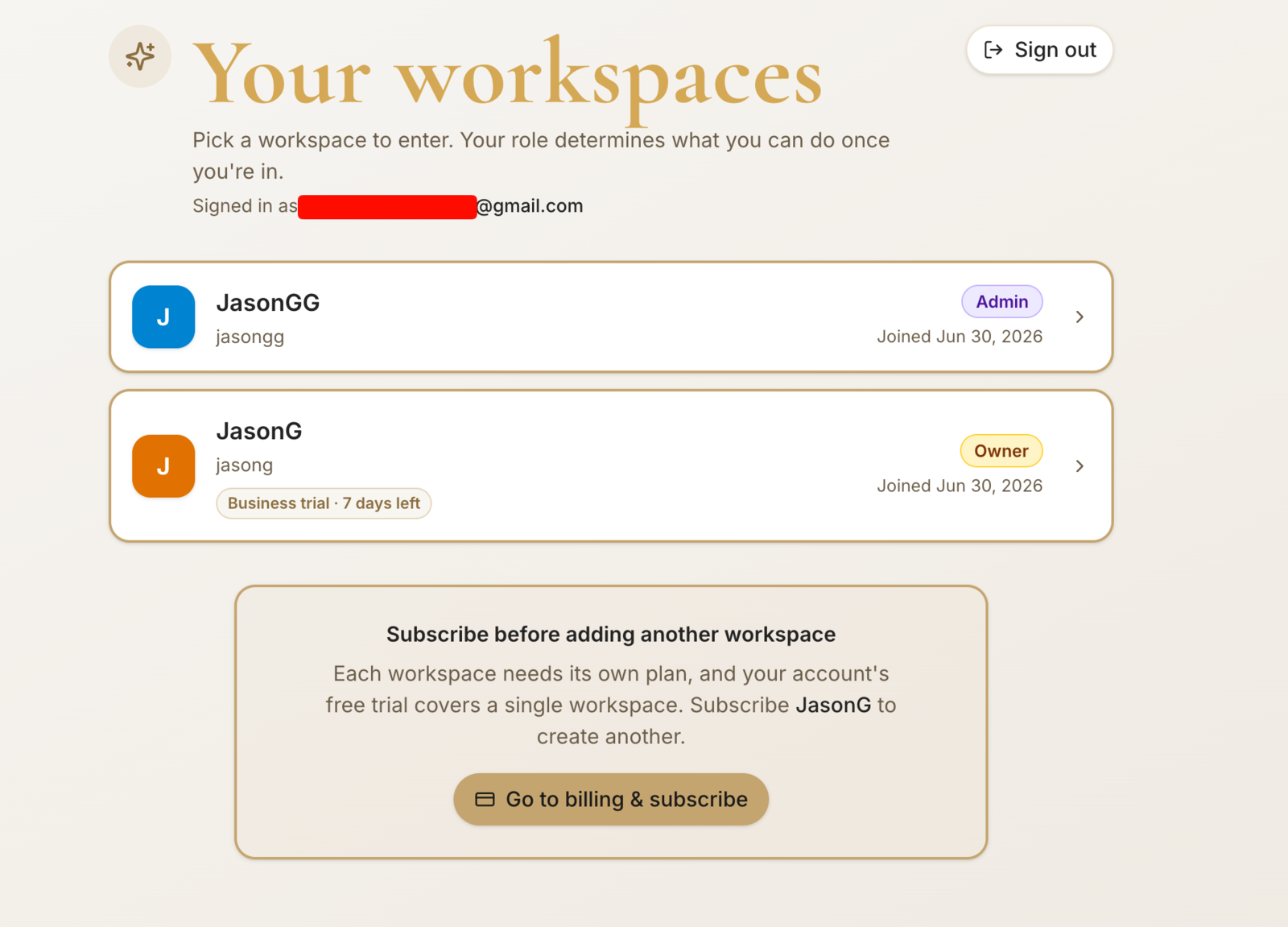
Tips
- Each workspace has its own inventory, projects, billing, and members.
Still need help?
Can't find what you're looking for? Our team is here.