
Build a quote
Generate a staging quote from square footage, a tier, and add-ons — then tune the underlying rates so every quote uses your numbers.
Open in Stageory- 1
Build a quote
Sqft + tier + add-ons.
- Open Pricing Calculator in the sidebar, or load a project to pull the rental rates of its linked units.
- Enter the client, square footage, and bedrooms, pick a tier (Essential / Signature / Luxury), and toggle add-ons like photography or delivery.
- The quote updates live — Save quote locally, or land it as a draft invoice on the project.
app.stageory.com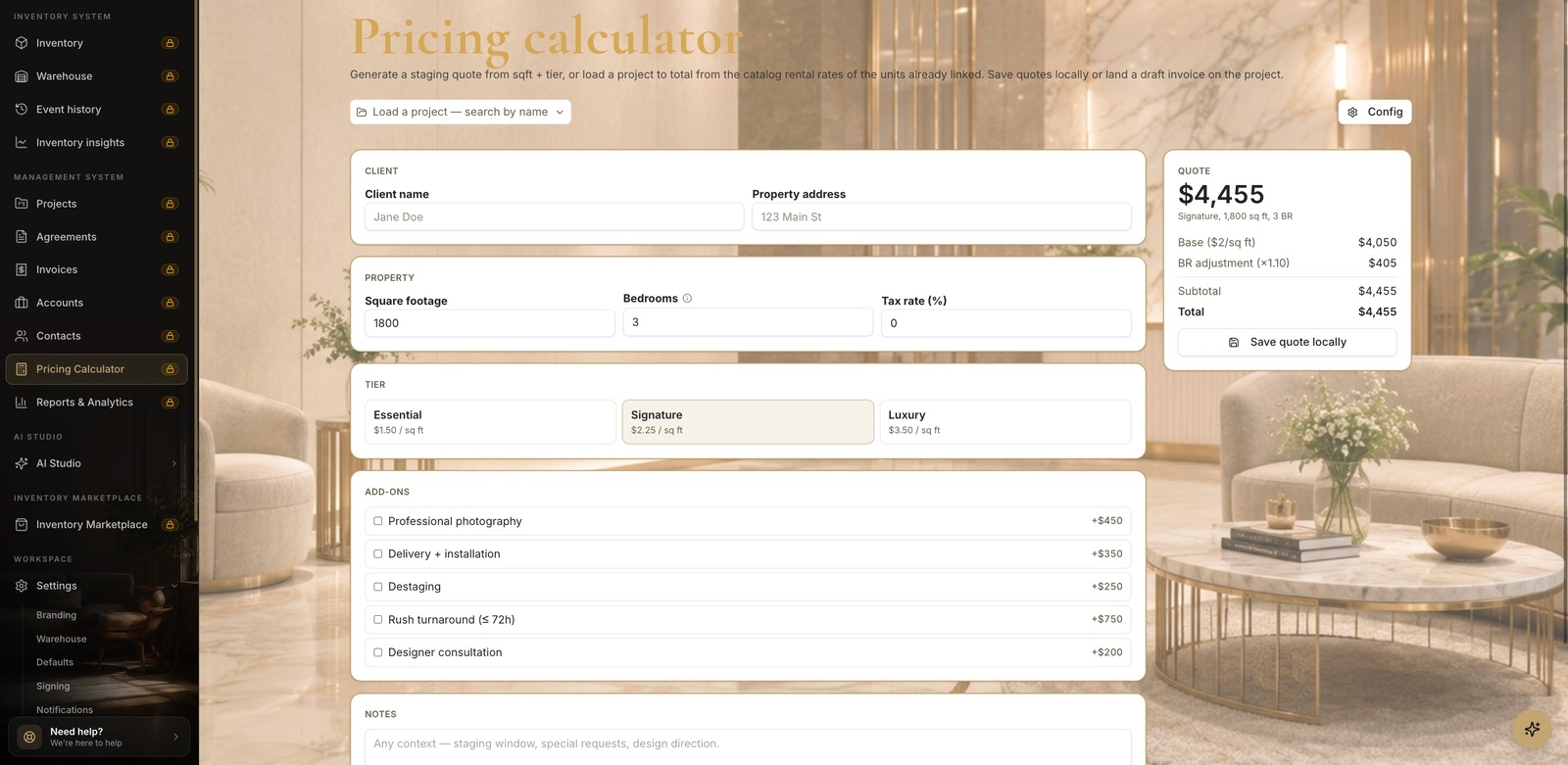
- 2
Set your rates
The Config panel.
- Click Config to open the calculator's math: the per-sqft rate for each tier, add-on prices, the bedroom multiplier, and the default tax rate.
- Rename tier labels to match your packages — the tier ids stay stable so saved quotes don't orphan — then save changes.
app.stageory.com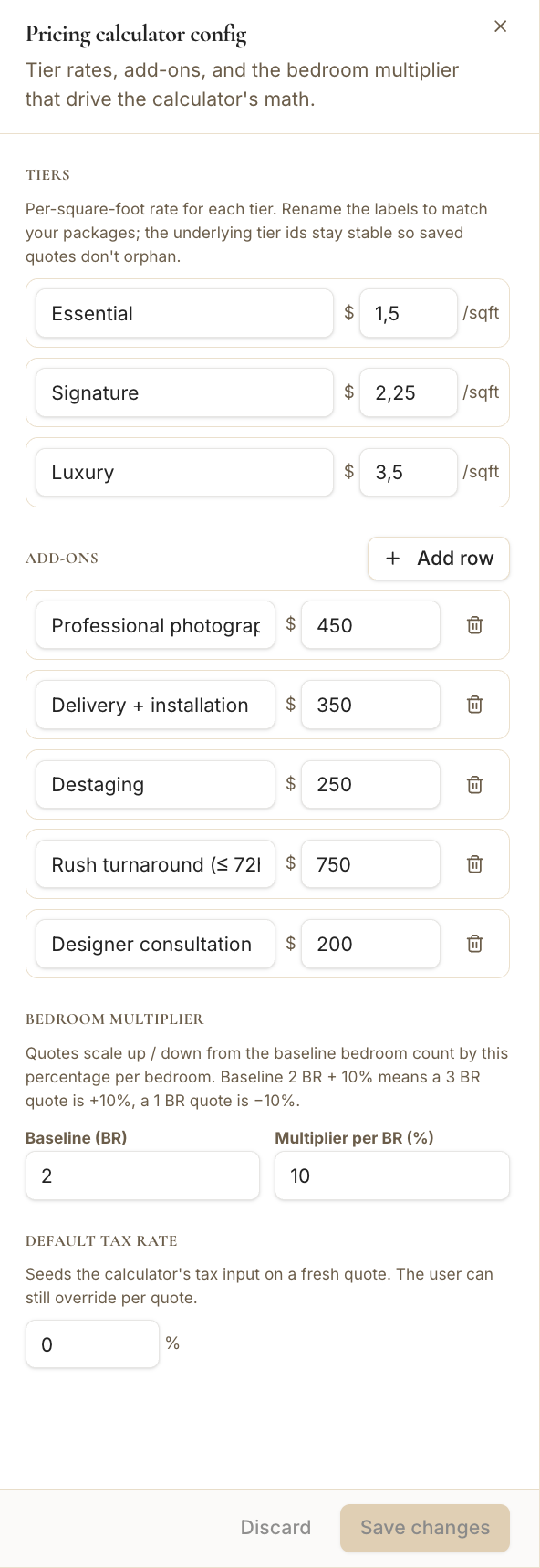
Tips
- The bedroom multiplier scales a quote up or down from your baseline bedroom count, per bedroom.
Still need help?
Can't find what you're looking for? Our team is here.